AI-enabled group tasks
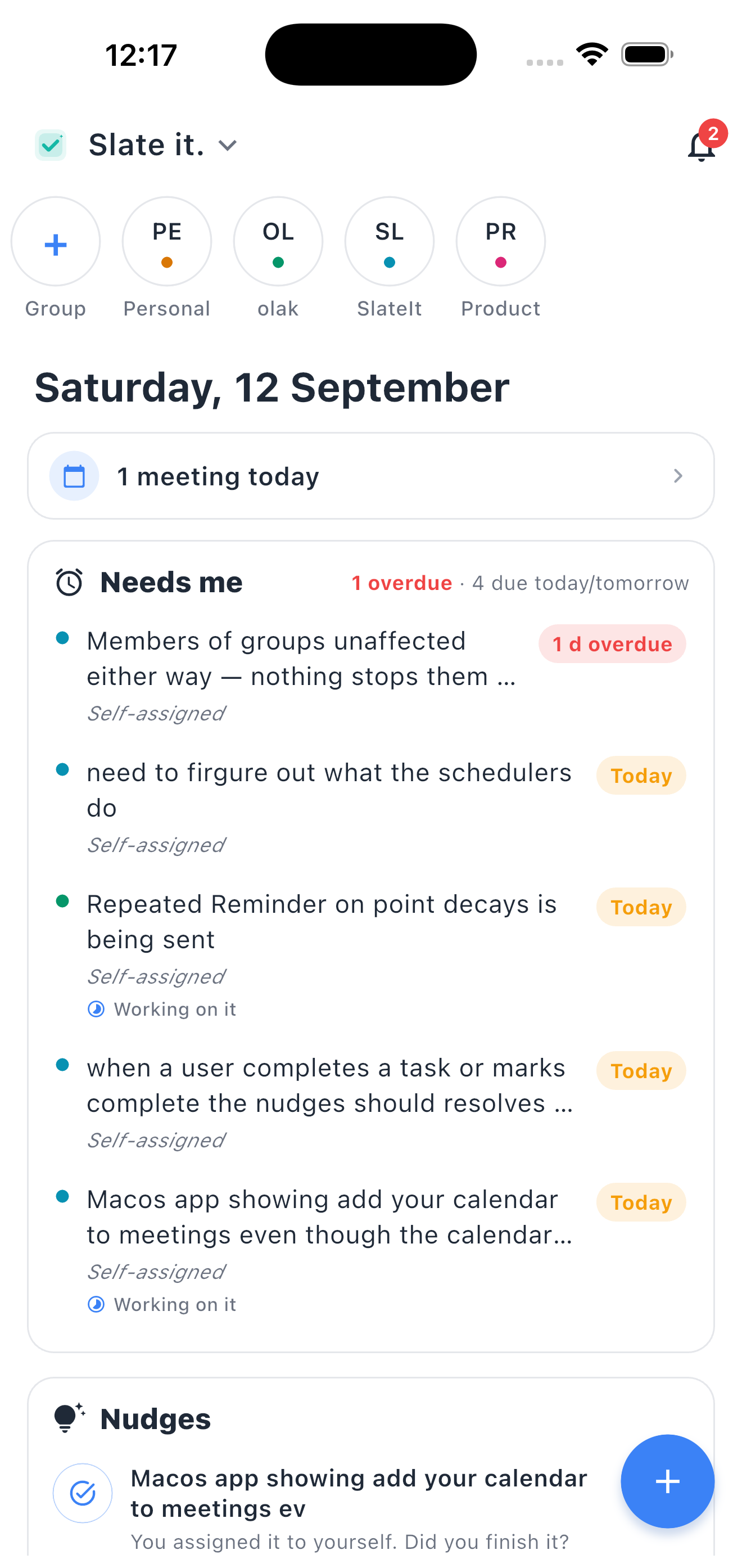
Your team talks; the agent captures. Every "we need to" and "can you" becomes a tracked task with an owner and a date.
AI-enabled group task management
Every group gets its own workspace — your team, your clients, your family. See everything that needs you today, then let that group's agent do the chasing: it turns the conversation into owned tasks, assignments, and reminders. Your team's day, decisions, and deadlines in one chat-first place.
Free to start · First group in about 30 seconds — invite by link, Apple, or Google.
iOS 16+ · Android 9+ · Free to start
On your desk
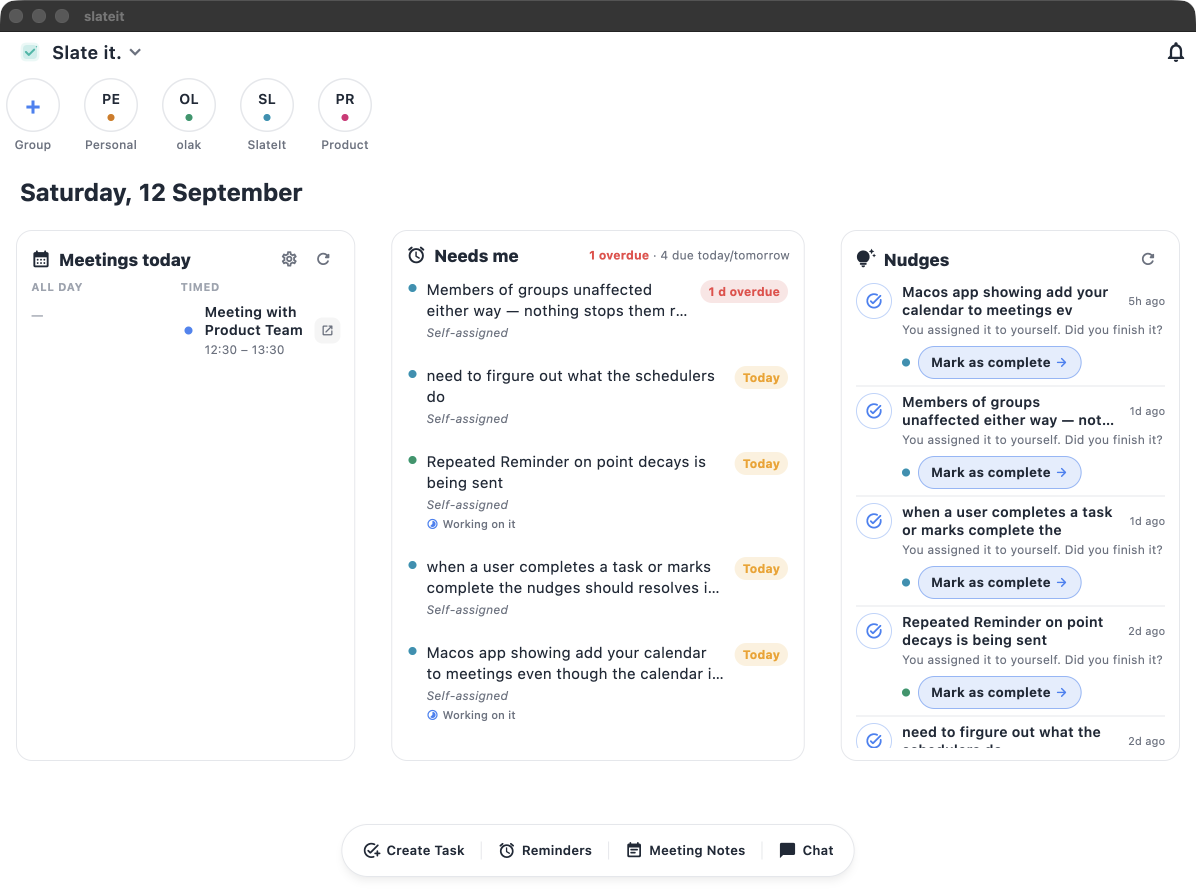
The wide layout — meetings, needs-me, and nudges side by side. Same account, same data, just more room to act on it.
iOS 16+ · Android 9+ · macOS · Free to start
How it works
From idea to delivered — the same chat your team is already in.
01
Spin up a channel for your project, team, or client. Invite via share link, Apple, or Google.
02
Have the conversation in plain language. Mention @teammates. Drop dates, files, voice notes.
03
Each group has its own agent — it remembers that team’s context, captures tasks, assigns owners, and pings them.
See it in action
Real flows from the app — no marketing paint.
Meetings & calendars
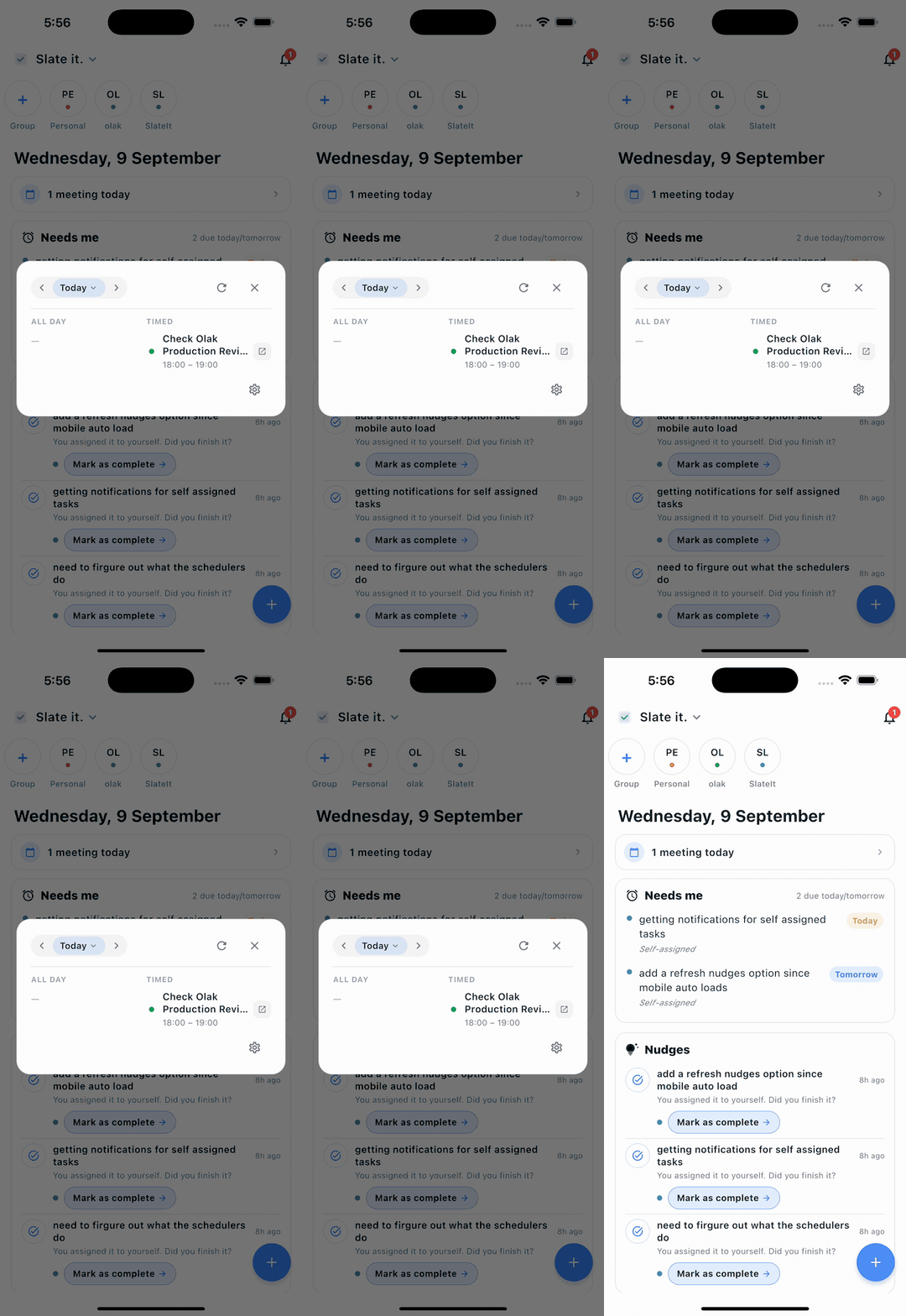
Open any day and see everything on the calendar — across every connected account, timed and colour-coded by group.
Assigning work
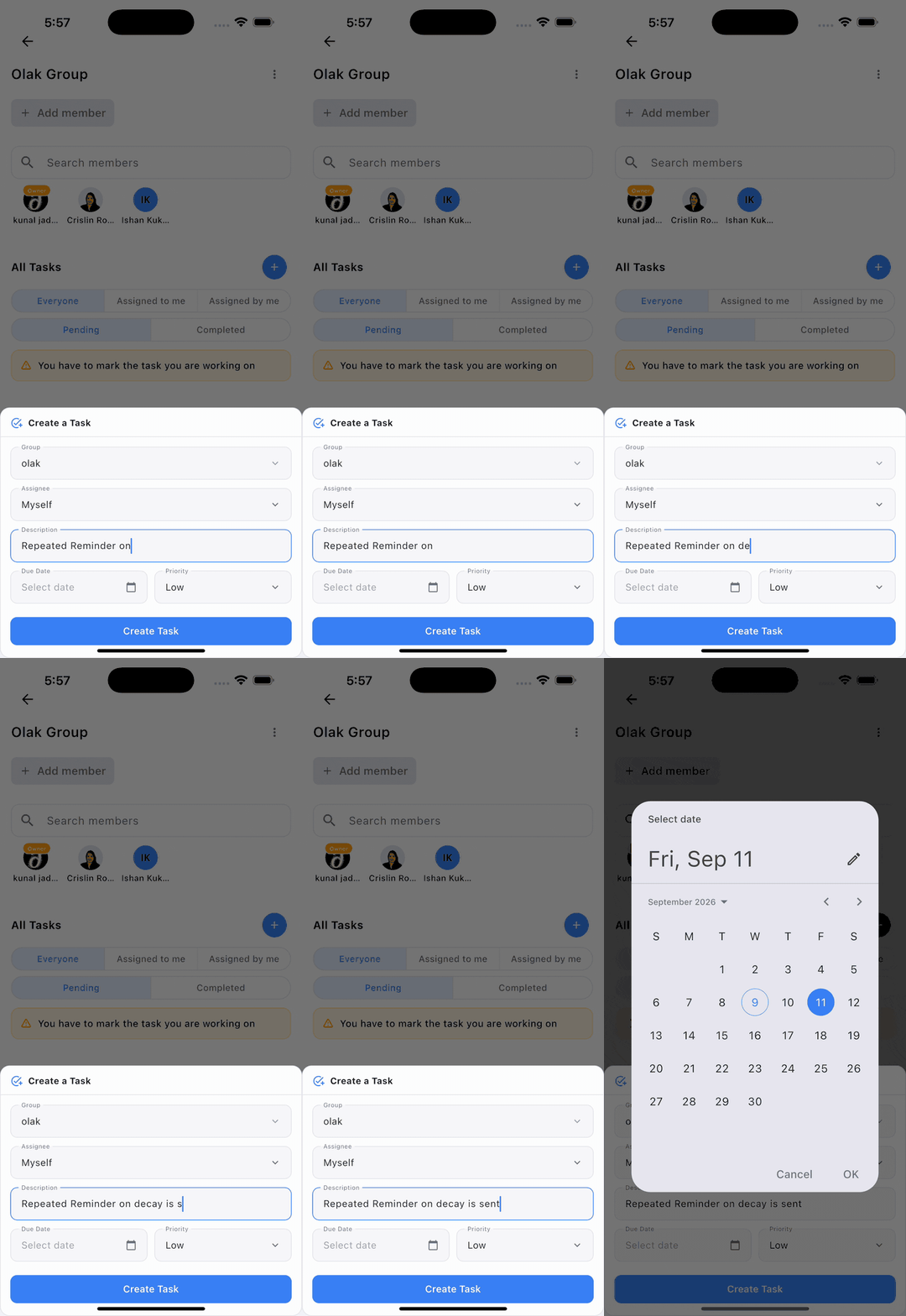
Inside any group you can spin up a task with an owner, a due date, and a priority — no tab-switching, no ceremony.
Follow-through
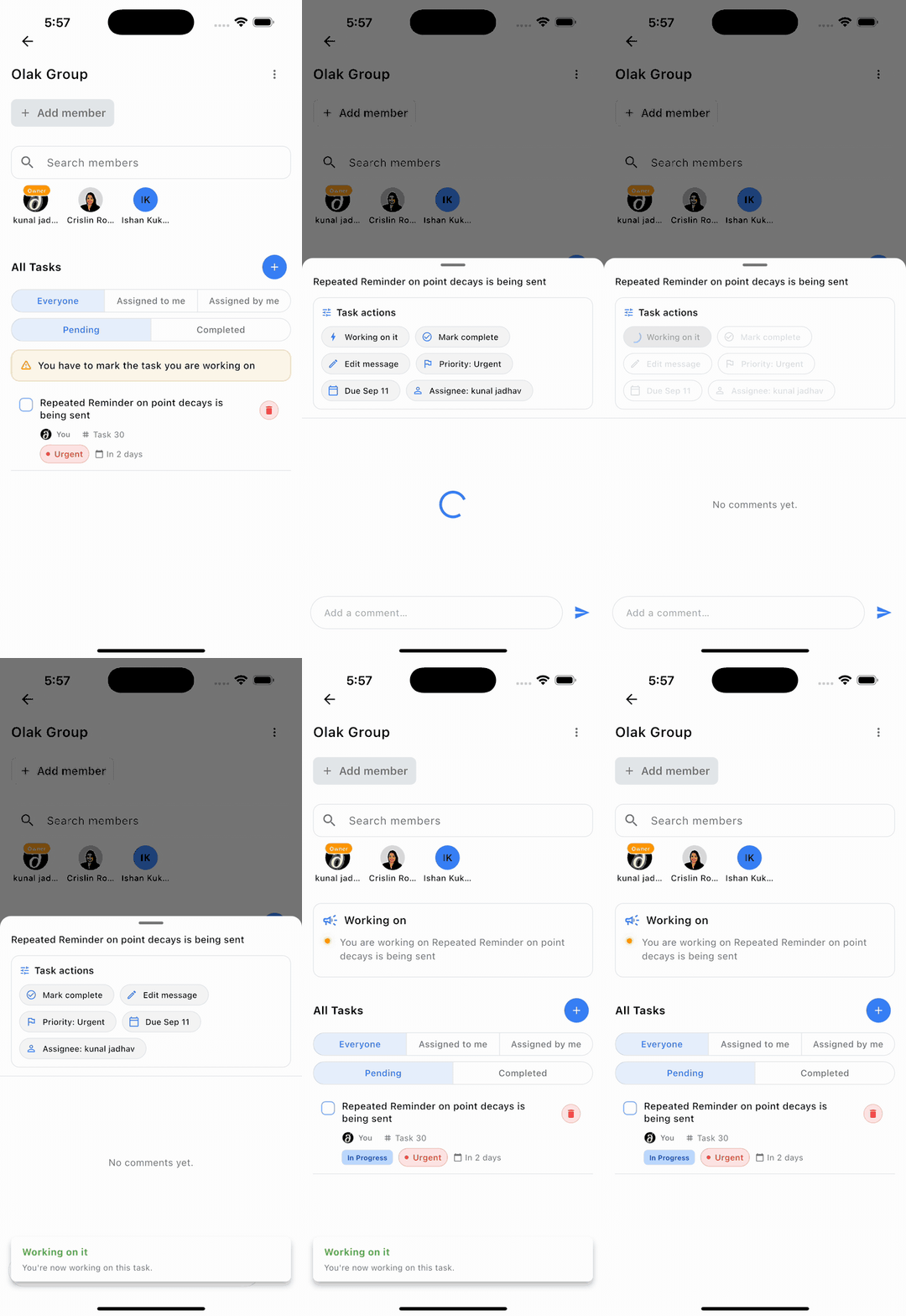
Say you’re on it, edit, or mark complete — each move updates the group in real time, so nobody has to ask “where is this?”
Reminders
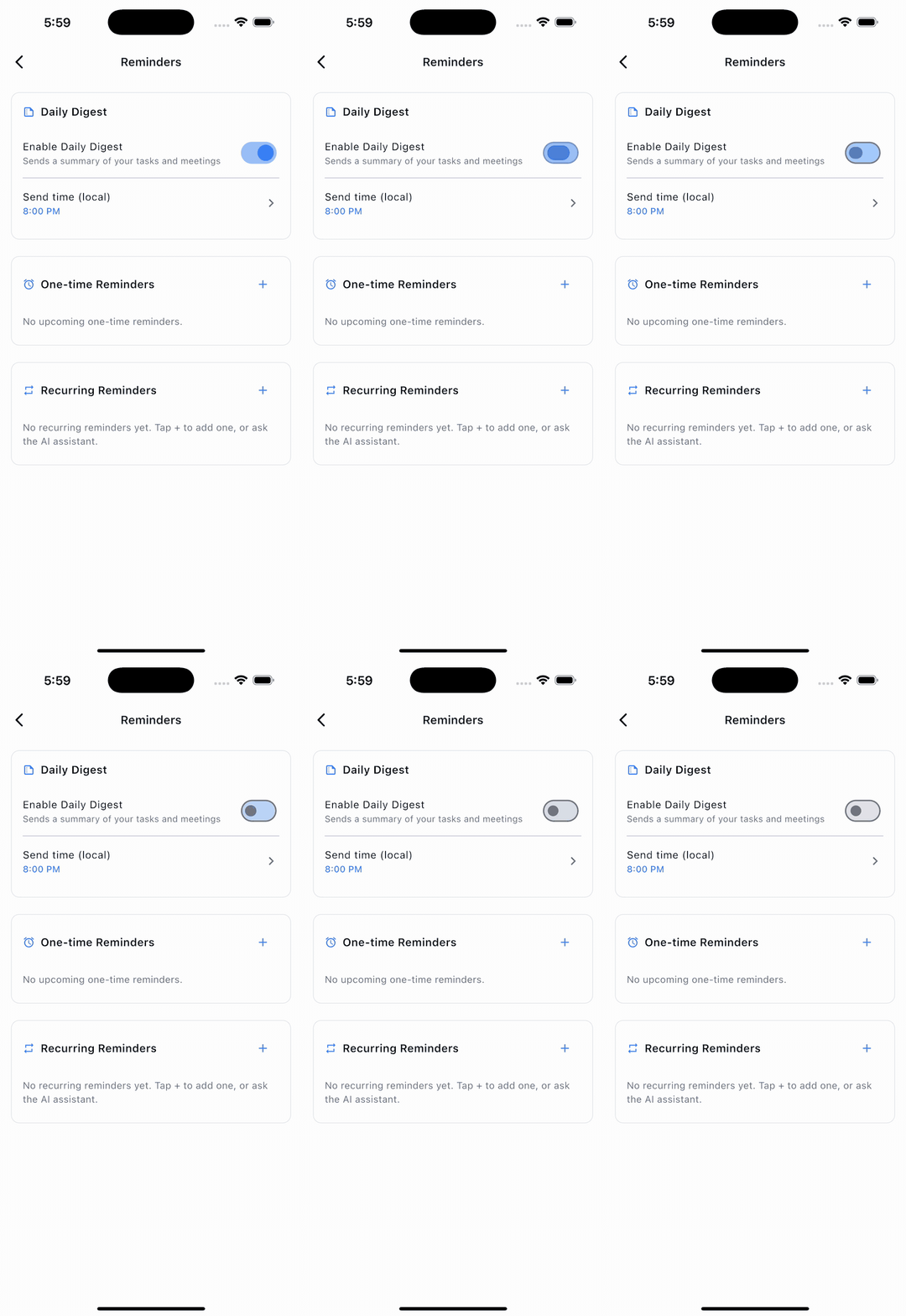
Set one-time or recurring reminders, or let the agent schedule them from chat — in your timezone, at the time you choose.
Quick actions
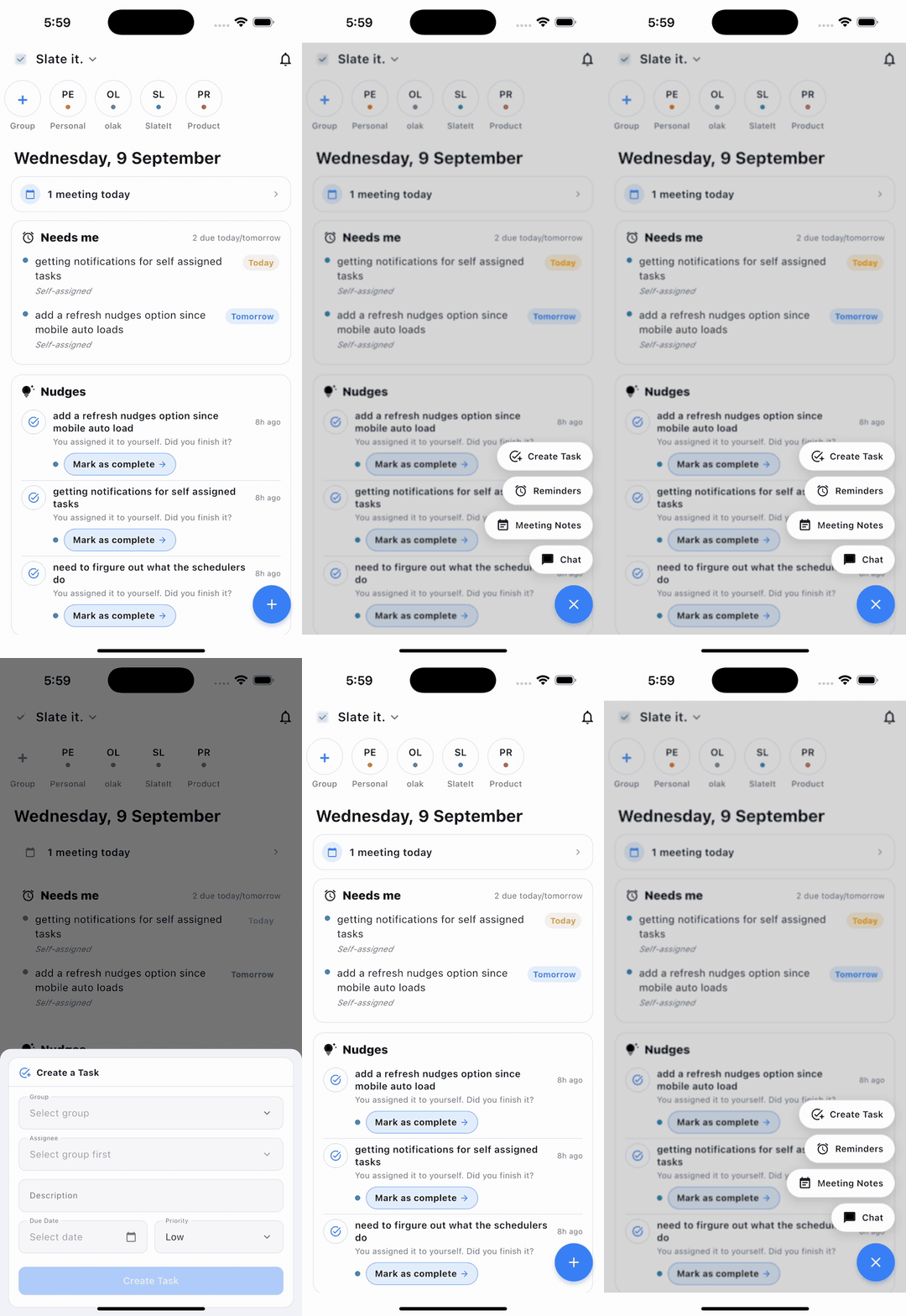
The + dock is always one thumb away — create a task or reminder, open meeting notes, or jump straight into chat.
Agent in the room
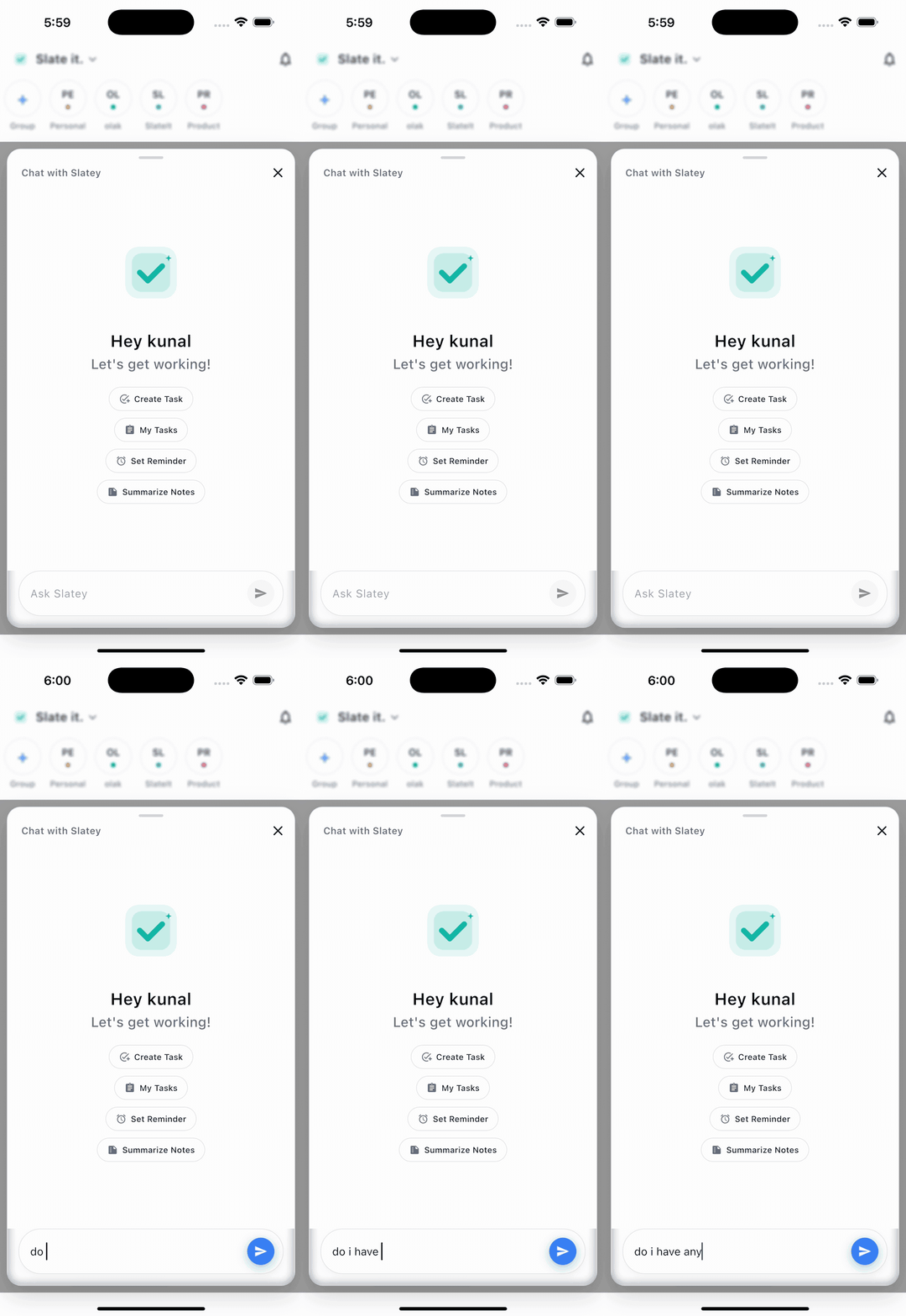
“Create a task”, “what’s on my list?”, “remind me tomorrow” — Slatey turns plain chat into tracked, owned work.
On the desktop
Mac gets the wide layout — what’s on today, what needs you, and what to act on, side by side. Same account, same data as your phone.
Features
One chat. Real tasks. Real finish lines.
Your team talks; the agent captures. Every "we need to" and "can you" becomes a tracked task with an owner and a date.
Quiet, respectful follow-ups. Pings show up before things slip — not after. No one has to babysit.
Per-group and per-account calendars feed into your chat. Conflicts are surfaced before they cost you a day.
Threaded comments live on the task — every decision, screenshot, and apology in one place.
A personal group for you, one per team, project, or client. Switch between them without leaving chat.
“Working on it” status, a group-wide flash of who is on what, and a full reassignment trail.
Why teams pick SlateIt
Your AI lives in the same room as the team. It hears the same messages and answers with the same context.
A chat tool that finally understands groups — multiple accounts, nested teams, shared deadlines.
Quiet hours, smart pings, and a "do not disturb" the model actually honors. Productivity over notification pressure.
Free to start. Bring your team in under 60 seconds.